What Is the Best Text Extractor? A Complete Guide to Choosing the Right Tool
If you regularly work with images, screenshots, scanned documents, or PDFs, you’ve probably asked yourself, “What is the best text extractor?” With powerful tools like From Image to Text, converting images into editable text has become fast, accurate, and effortless. The right text extractor can save hours of manual typing and dramatically improve your workflow.
In this guide, you’ll learn what makes a text extractor the best, how to compare tools, and how to choose the right option for your personal or professional needs.
What Is a Text Extractor?
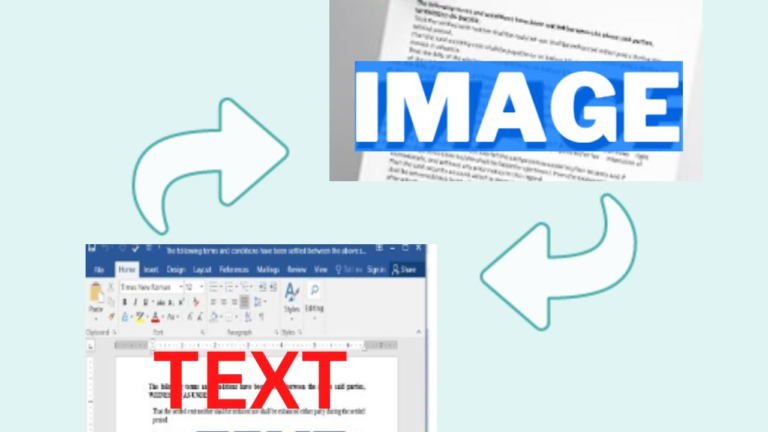
A text extractor is a tool that converts non-editable content—such as images, screenshots, scanned files, and PDFs—into editable digital text using OCR (Optical Character Recognition) technology.
In simple terms, A text extractor turns pictures into real, usable text.
What Makes a Text Extractor “The Best”?
Not all text extractors are created equal. The best text extractor should offer:
- ✅ High accuracy
- ✅ Fast processing
- ✅ Support for multiple image formats
- ✅ Handwritten text recognition
- ✅ No complex setup
- ✅ Data privacy and security
- ✅ Free access with useful features
Tools like From Image to Text meet most of these criteria, making them ideal for everyday users.
Key Features to Look for in the Best Text Extractor
1. OCR Accuracy
The best text extractor should correctly recognize:
- Printed text
- Numbers
- Symbols
- Multiple languages
Higher accuracy means less editing later.
2. Multi-Format Support
A strong extractor supports:
- JPG
- PNG
- BMP
- WebP
3. Handwritten Text Recognition
Advanced OCR tools can now read clean handwritten notes, which is ideal for students and researchers.
4. Speed and Performance
Fast processing ensures you don’t waste time waiting for results.
5. Ease of Use
The best tools work directly online without installations or complicated settings.
What Is the Best Text Extractor Right Now?
Based on accuracy, speed, ease of use, and accessibility, From Image to Text stands out as one of the best text extractor tools available online.
Why From Image to Text Is a Top Choice
- ✔️ Free to use
- ✔️ High OCR accuracy
- ✔️ Supports multiple image formats
- ✔️ Works on mobile and desktop
- ✔️ No registration required
- ✔️ Simple upload-and-extract process
- ✔️ Clean, user-friendly interface
It’s especially useful for students, office workers, freelancers, and online sellers.
How to Use the Best Text Extractor (Step-by-Step)
Here’s how you can extract text in under a minute:
- Open From Image to Text
- Upload your image or document
- Select the correct language
- Click Extract Text
- Copy the converted text and use it anywhere
This process works for screenshots, scanned forms, photos of notes, and printed documents.
Best Text Extractor for Different Needs
For Students
- Converts photos of notes into editable text
- Helps with assignments and research
- Saves time during exam preparation
For Office and Business Users
- Digitizes paper records
- Extracts data from invoices and receipts
- Speeds up documentation
For Online Sellers
- Extracts product descriptions from images
- Copies pricing data from screenshots
- Simplifies bulk listing work
For Researchers and Writers
- Converts sources into editable quotes
- Extracts text from study materials
- Helps organize references quickly
Tips to Get the Most Accurate Extraction Results
To get the best performance from any text extractor:
- Use clear, high-resolution images
- Avoid shadows and glare
- Make sure text is straight and readable
- Crop extra background
- Select the correct language
- Proofread after extraction
Better image quality always improves OCR output.
Common Mistakes When Choosing a Text Extractor
- Choosing tools with poor OCR accuracy
- Uploading low-quality images
- Ignoring data privacy
- Using tools with heavy watermarks
- Skipping manual proofreading
Avoiding these mistakes ensures clean and reliable output.
Frequently Asked Questions (FAQs)
What is the best free text extractor?
One of the best free options available is From Image to Text due to its speed, accuracy, and simple interface.
Can a text extractor read handwritten notes?
Yes, many modern OCR tools can read clean, readable handwriting with good accuracy.
Is it safe to use online text extractors?
Trusted tools process files securely, but it’s always advised not to upload highly confidential documents.
Can I extract text on my mobile phone?
Yes, you can use mobile browsers, Google Lens, Apple Live Text, or upload mobile photos to online OCR tools.
What is the best text extractor for scanned PDFs?
OCR-based online tools and desktop software with PDF support work best for scanned files.
Conclusion
So, what is the best text extractor? The best tool is one that combines high accuracy, fast processing, ease of use, and strong privacy standards. For most users, From Image to Text offers the perfect balance of simplicity and performance for extracting text from images and documents. Try your next image-to-text task using From Image to Text and see the difference for yourself. Share this guide with anyone still typing text manually from images!