Your file is processing, wait for a while...

Extract Text from Image

Transform any image into editable text using advanced OCR technology. Simply upload your image and get accurate text extraction in seconds.

Upload
Process
Extract

Upload Your Image

You can drag & drop, click to browse, or paste from clipboard
Drop your image here
or click to browse files

Supported Formats

JPG, PNG, BMP, GIF, TIFF, WEBP

Language Settings

Processing Your Image

Analyzing image content and extracting text...
0%
Processing time depends on image complexity

Image Preview

Preview

Extracted Text

0 words 0% confidence
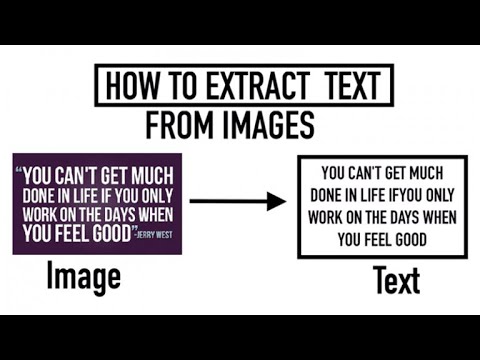
Extract Text from Image Instantly – Free Online Image to Text Converter

Welcome to FromImageToText.com, your one-stop destination to extract text from images quickly, accurately, and for free. Whether you need to copy text from a picture, retrieve text from a screenshot, or convert photo to text, our AI-powered image text extractor helps you do it effortlessly in seconds.

Our smart Optical Character Recognition (OCR) system reads the content in any image and converts it into editable, searchable, and shareable text. You can use it to digitize printed documents, extract quotes, or capture notes from your camera — all without typing a single word.

The Easiest Way to Get Text from an Image

With today’s fast-paced digital life, text is often trapped inside photos, scanned papers, or screenshots. FromImageToText.com helps you unlock that content instantly.

Just upload your image, and our text extractor from image automatically identifies and converts the letters, words, and paragraphs into editable text that you can copy or download.

This online text extractor is 100% free, fast, and works across all platforms — Windows, macOS, Android, and iOS. No registration, no hidden fees, and no installation required.

Text from an Image

How Our Image to Text Extractor Works

Our image text extraction process combines simplicity with cutting-edge AI technology. You can extract text from picture or read text from photo using just three steps.

Step 1: Upload Your Image

Click on the Upload Image or Browse Files button to select the image you want to process. Alternatively, drag and drop your file directly into the upload box. Supported formats include: JPG / JPEG PNG GIF BMP WEBP TIFF You can also upload a screenshot, scanned document, or photo taken from your smartphone. The clearer the image, the more accurate the recognition.

Step 2: Process the Image

Once your file is uploaded, click on Extract Text or Process. Our advanced OCR engine starts scanning your image immediately. It uses deep learning algorithms to detect fonts, contrast, and characters, then recognizes text from the image line by line. During this stage, the system performs: Character detection and segmentation Font shape analysis and text region identification Language recognition for multilingual images Noise reduction to improve accuracy on low-quality photos This step usually completes in seconds, regardless of the image size.

Step 3: Copy and Use Extracted Text

After the analysis, your extracted text will appear in the results box. You can copy the text, edit it directly, or paste it into your preferred editor, email, or document. No watermark, no restrictions — your data belongs to you.

What Makes FromImageToText.com Different?

Unlike generic OCR tools or apps that require registration, FromImageToText.com focuses on simplicity, privacy, and accuracy.

Accurate Text Recognition

Our AI OCR engine recognizes printed, stylized, and even semi-handwritten text with remarkable precision. It can detect text from images with shadows, angles, or complex backgrounds.

Multilingual Capability

Whether it’s English, Arabic, Spanish, Portuguese, or Hindi — our system automatically detects and converts multilingual text correctly.

Fast and Free

No downloads, no subscriptions. Everything happens in your browser in a matter of seconds.

Safe and Private

All uploaded images are processed securely. Once text extraction is completed, your file is automatically deleted from our system.

Convert Any File: JPG, PNG, or Screenshot to Text

Our OCR supports nearly all common image formats. You can:

  • Extract text from JPG or JPEG images with printed or scanned content
  • Copy text from PNG graphics or transparent logos
  • Pull text from GIFs or screenshots captured on your screen
  • Retrieve text from BMP or TIFF scanned papers
  • Convert photo to text from camera-captured images or phone pictures

Whether you need text from screenshot, image text extraction, or png to text, this tool handles every scenario flawlessly.

Convert Any File: JPG, PNG, or Screenshot to Text

Real-World Applications of Text Extraction

For Students

Students can save valuable time by using this tool to extract text from pictures of notes or textbooks. Simply snap a photo of your material and convert it to editable text for studying or research.

For Professionals and Businesses

Convert printed contracts, forms, invoices, or receipts into digital documents. It’s a simple way to automate data entry and maintain accurate digital records.

For Researchers and Academics

Easily retrieve text from image PDFs or research papers. Our OCR tool helps in transcribing historical documents or analyzing visual data sources.

For Developers and Designers

Developers can find text in image samples or extract text layers for localization, translation, or code automation. Designers can detect fonts or capture text snippets from mockups.

For Content Creators

Writers and journalists can grab text from screenshots of interviews, articles, or online conversations for editing and citation.

Detailed Features of Our Online Text Extractor

Unlike generic OCR tools or apps that require registration, FromImageToText.com focuses on simplicity, privacy, and accuracy.

High-Precision OCR Engine

Our deep learning OCR model has been trained on millions of characters, fonts, and layouts to recognize text in image with exceptional accuracy.

Multilingual Recognition

Supports over 25 languages, including: English Arabic, French, Spanish, Portuguese, Hindi, German, Italian, Turkish, Russian.

User-Friendly Interface

The interface is designed for simplicity — no confusing options, no unnecessary steps. Upload your image, click a button, and get your text.

Mobile and Desktop Compatibility

Fully responsive and works equally well on any device — mobile, tablet, or PC.

Batch and Screenshot Support

You can extract text from multiple images, or directly from a screenshot to text, ideal for capturing quick snippets or translating text on the go.

Online Text Extractor

GEO-Optimized: Use FromImageToText Anywhere in the World

United States

Students and professionals in the U.S. use our online text extractor for reports, academic work, and document digitization. From receipts to scanned letters, our OCR captures every word accurately.

United Kingdom

In the UK, businesses and researchers rely on our image text extraction tool to process notes, contracts, and forms efficiently.

India

With support for regional languages, Indian users can extract text from image in Hindi, Tamil, Bengali, and more. Ideal for educational, government, and office documentation.

United Arab Emirates

For Arabic-speaking users, our platform supports extracting Arabic text from images (استخراج النص من الصورة) with unmatched precision — perfect for legal, academic, and corporate use.

Advantages of Using FromImageToText.com

  1. Completely Free: Use without sign-up, download, or payment.
  2. Accurate OCR Engine: High recognition rates even for low-quality images.
  3. Instant Conversion: Extract text from an image in less than 5 seconds.
  4. Universal Language Support: Recognize and extract multilingual content easily.
  5. Privacy-First Design: All files are auto-deleted after processing.
  6. Works Everywhere: Compatible with all browsers and devices.

This makes it one of the most reliable image to text extractors available online today.

Advantages of Using FromImage To Text

Pro Tips for Maximum Accuracy

  1. Use well-lit images: Avoid shadows or low contrast.
  2. Avoid background clutter: Solid backgrounds yield better recognition.
  3. Straighten text: Crooked text or angled images reduce accuracy.
  4. Use high-resolution files: Higher DPI produces better results.
  5. Check spelling and grammar: OCR detects characters but may misinterpret fonts with unusual styles.

By following these tips, you can consistently extract text from image with near-perfect precision.

Pro Tips for Maximum Accuracy of extract text from image

Secure and Private Text Extraction

We understand how important your data is. Every image you upload is:

  • Encrypted during transfer
  • Processed locally in a secure environment
  • Automatically deleted after extraction

We never store or share any uploaded content. Your privacy is always our top priority.

Secure and Private Text Extraction

Supported Use Cases

  • Copy text from photo: Extract text from your camera images or mobile screenshots.
  • Scan text from image: Read scanned pages and convert them into digital notes.
  • Extract text from picture online free: 100% web-based, with no installation.
  • Read text in image: Detect printed and handwritten content instantly.
  • Recognize text from image: Ideal for document scanning, translation, and text archiving.

Whether you need to extract words from picture, generate text from image, or grab text from image online, this tool is built for every scenario.

Extract text from your camera

Language and Font Recognition

Our OCR not only reads text but also detects the underlying language and adapts recognition models automatically.
It can differentiate between similar alphabets (like Latin and Cyrillic), handle accented characters, and identify common typefaces to maintain structure.

This means you get clean, readable text output, not random symbols or broken formatting.

Accessibility and Device Compatibility

FromImageToText.com is fully browser-based and optimized for accessibility.

  • Works on Chrome, Firefox, Safari, and Edge.
  • Responsive layout ensures usability on small mobile screens.
  • No technical skills are needed — simply upload and extract.

Whether you’re using a smartphone, laptop, or tablet, you can get text from image anytime, anywhere.

Ready to experience the easiest way to extract text from images online?
Upload your image above, click Extract Text, and see the power of instant OCR in action. No sign-up, no limits, no waiting.

FromImageToText.com is more than just a simple converter — it’s a complete solution for anyone who wants to extract, read, or copy text from images quickly, accurately, and securely.

Whether you’re a student digitizing notes, a professional converting documents, or a designer analyzing text from mockups, our image to text converter offers the accuracy, speed, and simplicity you need — all within your browser.

Upload your first image today and experience the fastest way to turn images into editable text — no sign-up, no cost, no effort.

Frequently Asked Questions (FAQ)

1. How can I extract text from an image for free?

Simply visit FromImageToText.com, upload your image, and click on “Extract Text.” The recognized text appears instantly for free download or copying.

2. Can I copy text from screenshots or camera photos?

Yes, you can. Upload your screenshot or camera photo, and our OCR will detect and extract text from the picture automatically.

3. Does this work on handwriting?

It can detect readable handwriting, though printed text produces more accurate results.

4. Which file types are supported?

Our tool works with JPG, PNG, GIF, BMP, WEBP, and TIFF.

5. Is my data secure?

Yes. All uploads are private and automatically deleted after processing.

6. Can I extract Arabic, Hindi, or Spanish text from images?

Absolutely. Our multilingual OCR supports dozens of languages, including Arabic, Hindi, French, Spanish, and Portuguese.

7. Is there any usage limit?

No, you can extract text from unlimited images — completely free.

8. Can I use this on mobile?

Yes. The website is optimized for mobile devices and tablets, letting you convert images to text on the go.

9. How fast is the extraction process?

Typically, the process takes just a few seconds per image, depending on file size and quality.

10. What is OCR?

OCR (Optical Character Recognition) is the technology that allows computers to read printed or handwritten text from images and convert it into editable text.