Can Gemini Read Images? A Complete & Practical Guide
If you’re curious about modern AI and wondering if Gemini can Gemini read images, you’re not alone. Image understanding is becoming just as important as text-based AI today. Google Gemini can analyze and understand images, including the text inside them. However, when users need clean, editable text from images, many still rely on a dedicated image-to-text converter for better accuracy and control.
In this guide, we’ll clearly explain how Gemini reads images, what it can do well, where it falls short, and when OCR tools are the smarter option.
What Is Google Gemini?
Google Gemini is a multimodal AI model developed by Google that works with both text and images. Its main goal is to understand content deeply rather than just converting it from one format to another.
Gemini is commonly used for:
- Image analysis and interpretation
- Understanding visual context
- Answering questions based on images
- Combining image data with language reasoning
This makes it powerful for analysis, learning, and decision-making.
Can Gemini Read Images?
Yes, Gemini can read images, but its approach is different from traditional OCR tools. Gemini focuses on understanding what’s inside the image rather than extracting exact text.
In simple terms, Gemini is better at:
- Explaining what an image contains
- Interpreting visible text
- Providing context-based answers
It is not designed for precise, copy-ready text extraction.
How Gemini Reads and Understands Images
Gemini uses computer vision combined with natural language processing to analyze images. It looks at visual patterns, objects, and text together to understand meaning.
This allows Gemini to:
- Detect text inside images
- Understand layout and context
- Interpret what the text is about
However, it may paraphrase or summarize instead of reproducing text word for word.
How to Use Gemini to Read an Image
Using Gemini for image reading is simple and prompt-based. You upload an image and ask a clear question related to it.
Steps
- Upload the image to Gemini
- Ask something specific, like “What text is shown here?”
- Gemini responds with an explanation or interpretation
This works best when your goal is understanding rather than copying.
What Gemini Can Successfully Read From Images
Gemini performs well in situations where context matters more than accuracy.
Signs and Labels
Gemini can read signs, labels, and headings and explain what they mean. This is useful for understanding instructions or public notices.
Screenshots and UI Images
It can interpret screenshots, buttons, and on-screen text to explain what’s happening in an interface.
Charts and Visual Documents
Gemini can summarize charts or visual reports instead of extracting raw data.
Limitations of Gemini When Reading Images
Despite being advanced, Gemini has clear limitations when it comes to image text handling.
Lack of Exact Text Extraction
Gemini may rephrase or shorten text, which makes it unreliable for copying content.
No Formatting Preservation
Paragraph structure, line breaks, and alignment are often lost.
Not Suitable for Bulk Work
Gemini is not designed to process many images for text extraction.
For these cases, an OCR-focused tool like image-to-text works far better.
Gemini vs OCR Tools: Key Differences
Understanding the difference helps you choose the right tool.
Gemini
Gemini is ideal when you want explanations, summaries, or insights from an image. It’s excellent for understanding meaning and context.
OCR Tools
OCR tools are designed to extract text exactly as it appears. They are best when you need editable, reusable content from images or screenshots.
For accurate extraction, OCR tools clearly have the advantage.
When Should You Use Gemini to Read Images?
Gemini is a good choice when:
- You want an explanation, not raw text
- Context matters more than precision
- The image contains mixed visual elements
For example, asking Gemini to explain what a photographed document is about.
When Should You Use an Image-to-Text Tool Instead?
OCR tools are the better option when:
- You want to copy text exactly
- You need editable content
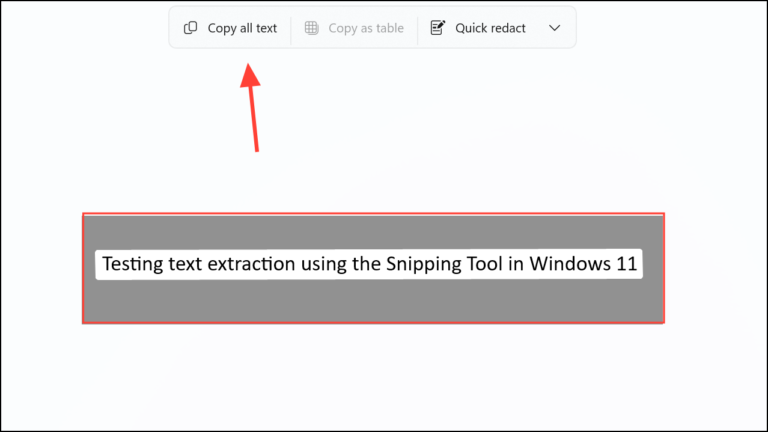
- You’re working with screenshots or scans
In such cases, using an image-to-text converter saves time and improves accuracy.
FAQs – People Also Ask
1. Can Gemini read text from images?
Yes, Gemini can recognize and interpret text inside images, but it may paraphrase instead of copying exactly.
2. Is Gemini an OCR tool?
No, Gemini focuses on understanding images, not precise text extraction.
3. Can Gemini extract text from screenshots?
It can explain the text, but OCR tools are better for editable output.
4. Does Gemini replace OCR tools?
No, Gemini complements OCR but does not replace dedicated image-to-text tools.
5. What is the best tool for image text extraction?
OCR tools, like from image to text, provide the most accurate results.
Conclusion
So, can Gemini read images? Yes—Gemini can analyze and understand images very well. But when you need accurate, editable text, it’s not the best choice. For precision and usability, a dedicated OCR tool from image to text is still essential.
If this guide helped you, feel free to share it or explore more image-to-text resources.